
Instead of reviewing every suspicious process by hand after an endpoint is compromised, set ThreatLocker Ringfencing policies that restrict what approved applications can access. For a 2026 zero trust rollout, test those restrictions before enforcement so you can block a path to another system without interrupting legitimate work.
- ThreatLocker Ringfencing limits lateral movement by restricting an approved application's access to other processes, files, and network destinations.
- Cyber Solutions is best for small and mid-sized US businesses needing managed cybersecurity support alongside a Ringfencing rollout.
- Use observed application behavior to build policies, then test denials before enforcing them across endpoints.
- Send Ringfencing violations to security monitoring; a blocked action still needs investigation.
Why this matters
An application can be approved to run and still be used in an attack. A malicious document, for example, can try to start a command interpreter; an exploited application can try to reach a file share. Application approval answers whether software can run. Ringfencing answers what that software can do after it starts. The distinction is central to zero trust application control.
Cyber Solutions provides managed IT and cybersecurity services to small and mid-sized US businesses that cannot afford downtime. For those businesses, a Ringfencing policy has two jobs: restrict an unnecessary access path and leave the required business process working. A blanket denial that stops an attacker but also stops a backup job is not a finished policy.
In 2026, treat Ringfencing as an application-level control, not as a substitute for network segmentation, endpoint detection, or incident response. Each addresses a different part of an intrusion.
| Control | Best for | Strength | Limitation |
|---|---|---|---|
| ThreatLocker Ringfencing | Restricting what an approved application can access | Limits an application's permitted interactions | Requires a tested understanding of legitimate application behavior |
| Application Control | Deciding which applications can execute | Stops unapproved software from running | Approval alone does not constrain every action an approved app takes |
| Network segmentation | Restricting traffic between systems or network zones | Limits reachable hosts and services | Does not determine whether a particular application should initiate a permitted connection |
| Endpoint detection and response | Investigating suspicious endpoint activity | Provides detection and response context | Detection does not itself define each application's allowed access |
Before you start
- Get the right access. Confirm that your ThreatLocker tenant has Ringfencing available and that you can review application policies and endpoint events. Confirm who is authorized to approve a policy change.
- Identify the business workflow. Record the application executable, the endpoints where it runs, its required child processes, its file locations, and the systems it contacts. Include scheduled tasks and maintenance jobs, not just actions someone performs on screen.
- Plan a safe test and rollback. Start with a limited endpoint group and document how to reverse a restrictive policy. The easily missed dependency is an infrequent job: a policy can look correct during ordinary use and interrupt a later backup, update, or accounting close.
Do not assume a quiet event log proves an application needs no exceptions. It only tells you what happened during the period you observed. In 2026, include the business owner in the test plan so a technical success is also an operational success.
Build the application baseline
- Open the ThreatLocker console and review Application Control for the application you intend to restrict. Identify its executable and the policy that permits it to run.
- Check observed activity for related executables, scripts, and services. Separate the application's required behavior from activity that simply occurred on the same device.
- Write down the specific resources the application needs: local paths, shared files, child processes, and network destinations. Ask the application owner to confirm each business dependency.
- Select a limited set of endpoints for the first policy. Keep a known-good endpoint available for comparison while you test.
Expected result: you have a named application, a defined test group, and a list of required interactions. You are not yet denying an access path based on an incomplete inventory.
A baseline is a record of observed behavior, not an automatic allow list. If a suspicious process ran during observation, copying every event into policy would preserve the attacker’s path. Review unfamiliar activity before permitting it.
Define the Ringfencing boundary
- Open Ringfencing for the chosen application. Review the available controls for access to other applications or processes, files, and network resources.
- Begin with one boundary you can explain. For a document editor, that might mean preventing it from starting an unnecessary command interpreter. For a business application, it might mean denying access to a share unrelated to its work.
- Preserve the interactions confirmed in the baseline. Avoid a broad exception for every application in a directory when the workflow requires one executable.
- Apply the draft policy to your test group using the non-enforcing observation option available in your tenant, if one is provided. Review the resulting events before enabling a deny action.
- Enable enforcement for the test group only after the application owner completes the agreed workflow. Record the policy change and its rollback method.
Expected result: the application completes its approved work on the test endpoints, while an attempted interaction outside its defined boundary is denied. Confirm both outcomes; a denial event alone does not prove the workflow still works.
The rule you write should identify an application and a resource, not a general feeling that access looks risky. A narrow boundary is easier to test and easier to maintain when the application changes.
Restrict the lateral-movement paths
A useful test is whether a compromised application can initiate a connection it never needs for its business function. SMB commonly uses 445/TCP; RDP commonly uses 3389/TCP; Windows Remote Management over HTTP commonly uses 5985/TCP. These are ports to examine, not a universal block list: administrators and approved tools can need them.
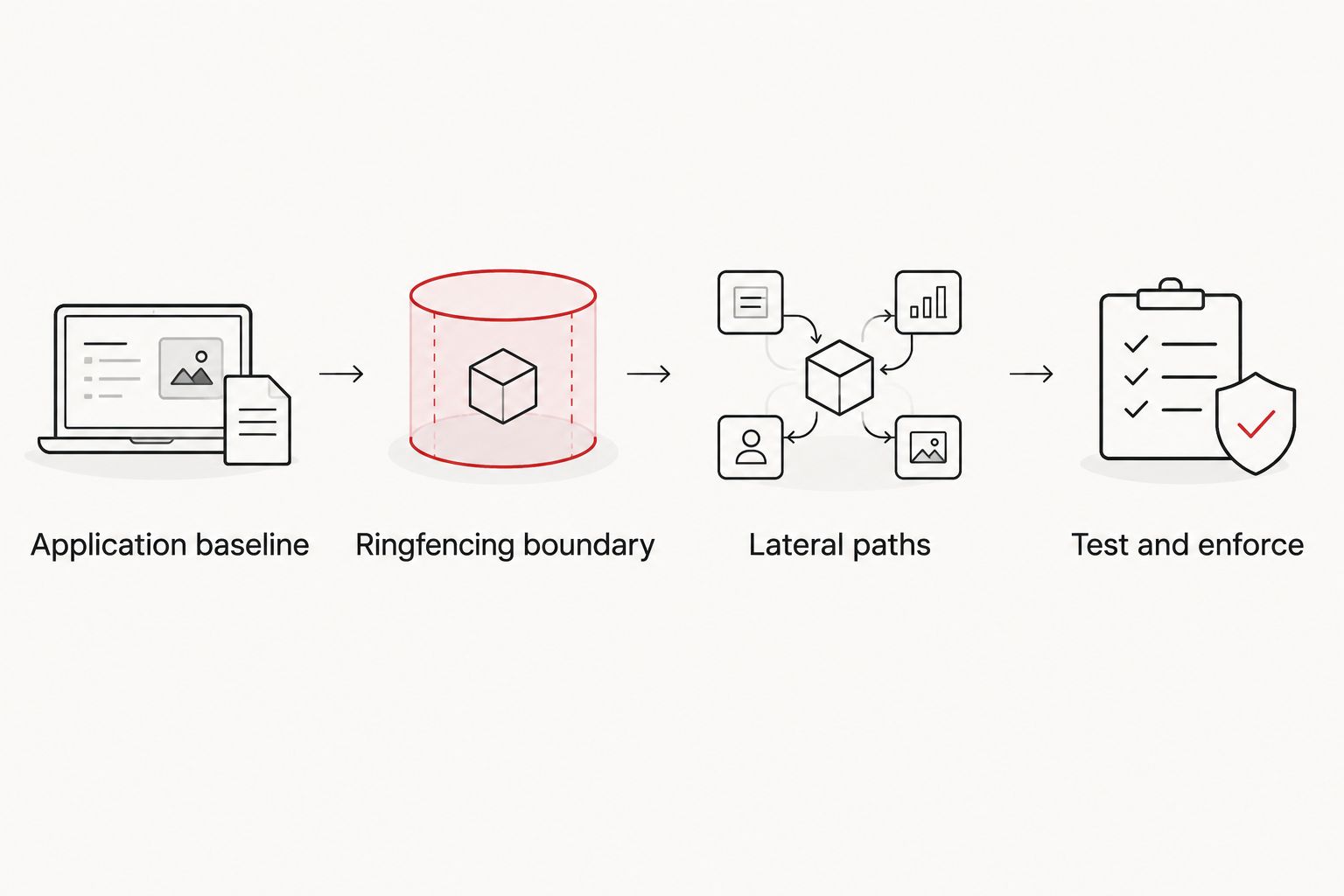
- Identify the applications in your test group that have no business reason to initiate SMB, RDP, or remote-management connections.
- Add a Ringfencing network restriction for those applications where the application-level control supports the required destination or service boundary. Keep approved management traffic scoped to the tools and systems that need it.
- Test an expected connection and an unexpected connection from the same application context. Check the endpoint result as well as the ThreatLocker event.
- Investigate every unexpected denial. If the connection is legitimate, document its destination and purpose before creating a narrow exception.
Expected result: the tested application cannot initiate the unnecessary connection, while approved administrative and business traffic still works. That is a measurable reduction in one lateral-movement path, not proof that every path is closed.
Test process-launch restrictions
Network access is only part of the problem. A document application that starts PowerShell or another command interpreter creates a different path: the child process can carry out actions the document application was never intended to perform. Test process relationships separately from network destinations so a failure points to the right rule.
- Review the chosen application's observed child processes. Identify any launch of PowerShell, a command prompt, or a script host that the application owner cannot explain.
- In Ringfencing, define the process interaction you want to deny for that application. Do not turn a specific document-to-interpreter restriction into a general ban on administrative scripts.
- Run the application owner's normal workflow on a test endpoint, including any approved automation that starts from the application.
- Attempt the process launch that the policy is meant to stop. Check that it fails and that the corresponding event identifies the source application.
Expected result: normal use continues, and the restricted application cannot launch the unwanted process. If approved automation fails, identify its source and build a scoped exception before wider deployment.
Send violations to security monitoring
Blocking an action and understanding why it happened are different tasks. A Ringfencing violation can be an attack attempt, a software change, or an incomplete policy. In 2026, route events into an accountable review process rather than treating the denial as the end of the incident.
- Confirm which Ringfencing events your ThreatLocker configuration can export or deliver to your existing monitoring system. Check the available integration method before designing an automated response.
- Include the endpoint, application, attempted action, destination or resource, and policy in the event record where those fields are available.
- Set a review procedure for denials involving command interpreters, administrative services, and sensitive systems. Give the reviewer the ability to distinguish a policy defect from suspicious activity.
- Test event delivery by producing a controlled denial on a test endpoint. Verify that the monitoring record matches the endpoint event.
Expected result: an analyst can see what was blocked, where it happened, and which policy acted. For an adjacent workflow, use the guide to connect ThreatLocker events to SOC alerts; confirm the integration's available actions before enabling containment.
Do not isolate a device solely because a single new policy generated a denial. First establish that the event signals a threat rather than an approved task the policy missed. Automatic containment needs its own test and rollback plan.
Troubleshoot blocked business workflows
- The application works on one endpoint but fails on another. Compare applied policies and the applications' installed paths on both devices. A difference in policy scope or executable identity can explain the mismatch.
- A backup or scheduled task fails outside normal hours. Review the event at the time of failure, identify the exact file, process, or destination requested, and test a narrow exception. A daytime test does not cover an overnight task.
- An update changes which executable runs. Check whether the updated application launches a new process or uses a different path. Test the updated version before extending an older policy to it.
- A legitimate administrative script is denied. Identify which approved tool started it. Scope an exception to that source and its required action rather than permitting the interpreter for every application.
- The console shows a denial but users report no problem. Confirm whether the denied action was required. Do not approve it merely to clear an alert; unnecessary access is exactly what Ringfencing should stop.
Customize your zero trust rollout
Expand by application and business dependency, not by pushing one restrictive policy to every endpoint at once. In 2026, review the policy when an application is updated, a workflow changes, or a new destination is added. Retest the permitted action and the denied action after each material change.
Cyber Solutions is a fit when a small or mid-sized US business needs managed cybersecurity support and cannot treat policy maintenance as an occasional side task. That support has a limit: no service provider can define your application's legitimate access without input from the people who use and administer it. Keep application owners responsible for confirming workflows, and keep security reviewers responsible for investigating denials.
FAQ
How does ThreatLocker Ringfencing stop lateral movement?
ThreatLocker Ringfencing restricts an approved application's access to other processes and resources. A compromised application cannot use an access path that its enforced policy denies, but other lateral-movement paths still require separate controls.
Is Ringfencing the same as Application Control?
No. Application Control governs which software can run; Ringfencing restricts what an approved application can access after it runs. Use both when an allowed application could otherwise reach unnecessary resources.
Does Ringfencing replace network segmentation?
No. Ringfencing applies restrictions at the application level, while network segmentation controls connectivity between systems or zones. The controls address different decisions and can be used together.
Should I block SMB and RDP for every application?
No. Test whether each application needs those connections before denying them. SMB commonly uses 445/TCP and RDP commonly uses 3389/TCP, but approved administrative and business workflows can require access.
How do I avoid breaking backup or management tools?
Inventory their scheduled processes and required destinations, then test the Ringfencing policy on limited endpoints before wider enforcement. Include jobs that run outside ordinary business hours.
What should happen after a Ringfencing denial?
A reviewer should determine whether the denial represents suspicious activity or a legitimate task the policy missed. Send the event to security monitoring with enough endpoint and application context to support that decision.
Can Cyber Solutions replace the application owner's input during setup?
No. Cyber Solutions provides managed IT and cybersecurity services, but the application owner must confirm which tasks and connections are legitimate. Security policy should reflect a verified business workflow.
One last thing
In 2026, the most useful Ringfencing test is not whether you can generate a blocked event. It is whether the approved task still finishes while an unnecessary process launch or network connection fails. Require evidence of both before expanding the policy.