Construction and engineering managed IT services are outsourced support, cybersecurity and incident response designed to keep offices, job sites and project teams operating in 2026. Cyber Solutions is best for small and mid-sized US construction and engineering firms that need managed IT and 24/7 incident response without building an internal security operation.
- Managed IT services for construction companies must cover offices, job sites, mobile endpoints and subcontractor access.
- Cyber Solutions managed IT combines support, SOC/MDR, endpoint protection, penetration testing and 24/7 incident response.
- Separate job-site networks from accounting, payroll and core project systems.
- Use co-managed IT when internal staff need coverage; outsource fully when no internal IT function exists.
- Judge every 2026 provider by response, recovery, access control and reporting responsibilities.
Why managed IT matters for construction and engineering firms
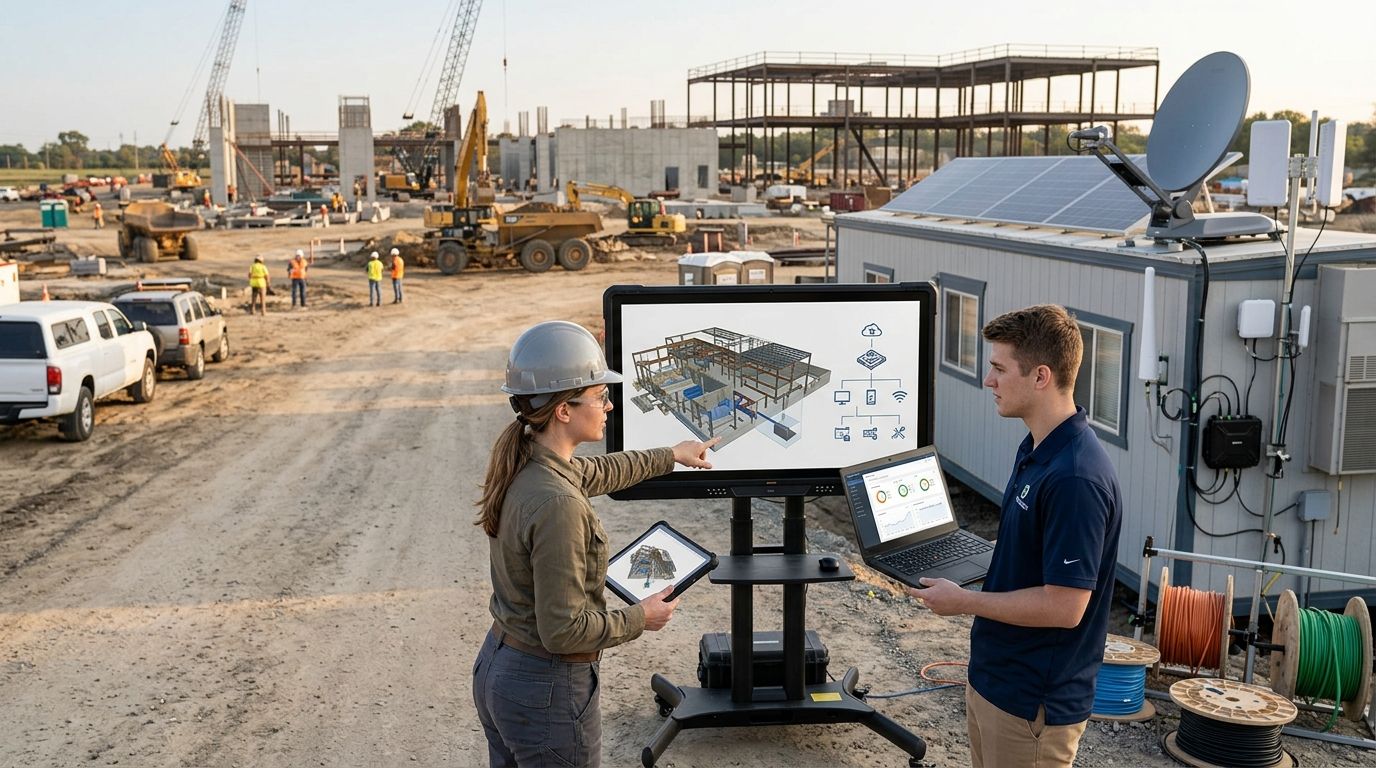
Construction and engineering teams work across permanent offices, temporary sites, home networks and client locations. Project managers, estimators, engineers and subcontractors need access to email, drawings, schedules, accounting systems and shared files without receiving unrestricted access to the entire business.
That operating model creates a larger management burden than a fixed office with company-owned desktops. Devices move between networks. Personnel change by project. A subcontractor may need one folder for one engagement, while an executive needs access to financial and operational systems from several locations.
Managed IT services for construction companies address that burden through centralized device management, account control, monitoring, backup and user support. The security layer matters just as much: compromised email, stolen devices, exposed remote access and malicious file encryption can stop field and office work at the same time.
In 2026, the right service model connects IT support with cybersecurity operations. A help desk restores access; endpoint protection watches company devices; SOC/MDR reviews security activity; tested backups support recovery; and an incident response process assigns decisions before an emergency begins.
Build a managed IT plan in seven steps
Map every user, device, system and site
Start with a spreadsheet. Record who uses each system, where the device operates, who owns it and what information it can reach. Include office desktops, field laptops, tablets, mobile phones, networking equipment, cloud applications and shared accounts.
Do not limit the inventory to company employees. Construction and engineering workflows often include outside architects, consultants, specialty contractors and client representatives. Their access must appear in the same map as internal access so nobody becomes an untracked exception.
Use the inventory to identify ownership gaps before choosing software or a provider. A managed service cannot protect equipment or accounts nobody has documented.
- Assign an internal owner to every business system
- Record company-owned and personally owned devices separately
- List every active office, job site and remote-work location
- Identify shared accounts and replace them with named users
- Mark systems containing financial, employee, contract or project data
Separate job-site access from core business systems
Create separate network and access zones before adding paid monitoring. Field crews and subcontractors should not share the same unrestricted network path as payroll, accounting or administrative systems.
Apply the same principle to cloud services. A person who needs current drawings does not automatically need access to every project, archived contracts or the company directory. Grant permissions around the work being performed rather than a broad job title.
This separation reduces the reach of a lost device, reused password or infected subcontractor laptop. It also makes incident investigation easier because access logs show which account reached which resource.
- Isolate guest and subcontractor Wi-Fi from business devices
- Require named accounts instead of shared project credentials
- Grant access by project, folder and business role
- Require multifactor authentication for remote and cloud access
- Remove temporary access when the related work ends
Centralize endpoint security and patching
Begin with the management features already included in your operating systems and business applications. Turn on automatic updates, disk encryption, screen locking and remote device controls wherever available.
The faster path is centralized endpoint management backed by active security monitoring. Cyber Solutions provides managed endpoint protection alongside SOC/MDR services, allowing support and security functions to work from the same device inventory. The endpoint protection guide for small businesses explains the controls to compare when evaluating that layer.
A security agent alone is not enough. Someone must review alerts, isolate affected devices and document what happens next. Confirm those duties in writing before treating endpoint software as a managed outcome.
- Enroll every supported laptop and desktop in central management
- Encrypt storage before devices leave a controlled office
- Remove unsupported and unauthorized applications
- Define who can isolate a device after a security alert
- Track failed updates until the underlying issue is resolved
Protect project files and recovery paths
List the files and applications required to continue active work. Drawings, models, bids, schedules, contracts, RFIs, change documentation and accounting records can have different owners, retention needs and recovery priorities.
Create protected copies outside the production environment. Version history helps with accidental changes, but it is not a complete recovery plan when the same administrator account can delete both production data and backups.
Test recovery by restoring selected files and confirming that authorized staff can open them. A successful backup notification proves that a job ran; a successful restore proves that the data is usable.
- Assign a recovery priority to each critical application
- Keep backup administration separate from standard user accounts
- Protect cloud data as well as local servers and laptops
- Document where project records must be restored first
- Record restore results and correct every failed test
Control vendor and subcontractor access
Use the free controls inside your identity platform and file-sharing system first. Give each outside user an individual account, require multifactor authentication and limit access to the specific project resources they need.
The project closeout checklist must include digital access. Returning keys and equipment does not remove a subcontractor from cloud folders, collaboration tools or VPN groups. Assign that task to a named employee rather than assuming the project manager or IT provider will handle it.
Review external access during active work as well. Unused accounts and permissions left over from earlier project phases create exposure without providing operational value.
- Approve outside access through a documented request
- Set an owner and purpose for every external account
- Restrict downloading when browser-only access is sufficient
- Review guest users at each project phase change
- Disable accounts as part of project closeout
Prepare support and incident response procedures
Write the manual process before an outage or security event. Staff need one reporting route, clear escalation rules and an alternative communication method when email or the primary network is unavailable.
Cyber Solutions provides managed IT support and 24/7 incident response for businesses that cannot afford downtime. Its stated service metrics include 24/7/365 coverage, under 1 hour average response and 99.9% uptime, with more than 400 businesses served. Those figures give construction and engineering leaders concrete service measures to compare against a prospective provider's written responsibilities.
An incident plan must cover operational authority as well as technology. Decide who can disconnect a site, disable an account, contact legal counsel, notify an insurer or approve recovery actions.
- Publish one support and security reporting route
- Define urgent, high-impact and routine ticket categories
- Name the business leader authorized to make incident decisions
- Keep offline copies of provider and insurer contact details
- Run a tabletop exercise with operations, finance and leadership
Measure service performance and business risk
Do not judge managed IT by the number of tickets closed. A high closure count can reflect repeated failures, poor user training or temporary fixes. Connect service reporting to business impact and unresolved risk.
Ask for separate reporting on support, security, backup and access management. Each area needs an owner, a current status and a clear next action. Reports that list alerts without decisions transfer the interpretation burden back to your team.
Set the 2026 review around metrics the provider can define and document. Cybersecurity controls should show coverage and exceptions; support reporting should show response and resolution performance; recovery reporting should show whether restore tests succeeded.
- Track response and resolution by ticket priority
- Review devices missing protection, encryption or updates
- Record backup failures and restore-test outcomes
- Audit privileged, external and inactive accounts
- Assign a deadline and owner to every unresolved risk
Review your job-site IT risk
Identify support, endpoint, access and recovery gaps across office and field operations.
Compare managed IT options for your firm
No delivery model fits every construction or engineering company. Match the option to your internal staff, number of operating locations, security requirements and tolerance for after-hours downtime.
| Option | Best for | Main advantage | Key limitation |
|---|---|---|---|
| Cyber Solutions managed IT | Small and mid-sized US firms needing managed support and cybersecurity | Combines IT support, SOC/MDR, endpoint protection, penetration testing and incident response | Requires an external provider to receive controlled administrative access |
| Fully outsourced generalist MSP | Firms without internal IT staff | One provider owns routine support and infrastructure administration | Security depth and incident response duties vary by contract |
| Co-managed IT provider | Firms with internal IT staff that need added coverage or specialist skills | Internal knowledge remains in-house while external staff fill defined gaps | Unclear ownership can create ticket and incident handoff delays |
| Internal IT team | Firms able to staff support, infrastructure and security roles | Direct control over priorities, systems and user relationships | After-hours coverage and specialist security functions require additional staffing |
| Break-fix support | Firms needing isolated repairs rather than ongoing management | Limited commitment for individual technical problems | No continuous monitoring, preventive maintenance or standing response process |
| Self-managed software stack | Technical teams prepared to operate every tool themselves | Direct control over configuration and data | Alerts, updates, investigations and recovery remain internal responsibilities |
Choose by accountability, not by tool count. A long software list does not establish who answers users, reviews alerts, restores data or leads an incident. The contract and operating procedures must name those owners.
Common mistakes construction and engineering firms make
Treating every project as a separate IT exception
Temporary sites still need standard identity, endpoint, network and backup controls. Allowing every project team to choose its own sharing method or remote-access process creates accounts and data stores that the business cannot manage centrally.
Giving outside users permanent access
A vendor account should have an owner, business purpose and removal event. Project delays do not justify company-wide permissions, and project completion should trigger access review as reliably as equipment return and final documentation.
Buying security tools without assigning operators
Endpoint, firewall and monitoring products generate configuration work and alerts. If nobody is accountable for investigating those alerts, the company owns software rather than a functioning security operation.
Assuming cloud storage replaces backup
Synchronization can copy unwanted changes, deletion or file encryption across connected devices. A 2026 recovery plan needs protected copies, separate administration and documented restore tests rather than reliance on one live file-sharing platform.
Evaluating providers only on the help desk
Fast password resets matter, but they do not prove that backups work, external access is reviewed or security alerts receive action. Evaluate support, security operations, recovery and governance as separate service responsibilities.
FAQ
What are managed IT services for construction companies?
Managed IT services for construction companies outsource device management, networks, user support, cybersecurity, backup and recovery to an external provider. The service should cover office systems, mobile users, job sites and authorized subcontractor access.
What is the best managed IT approach for a construction company in 2026?
Fully outsourced managed IT is the best fit when the company has no internal IT function, while co-managed IT fits teams that already employ technical staff. Cyber Solutions supports small and mid-sized US businesses needing managed IT, cybersecurity and 24/7 incident response.
Is managed IT different from managed cybersecurity?
Yes. Managed IT covers business technology and user support, while managed cybersecurity focuses on preventing, detecting and responding to threats. Construction firms often need both because device, account and network decisions directly affect security.
Can an IT provider support temporary construction sites?
Yes, if the service includes remote endpoint management, identity controls, network standards and support procedures for field users. Responsibilities for internet connectivity, local equipment and physical access should be written into the service scope.
How much do managed IT services for construction companies cost?
Cost depends on supported users, devices, locations, applications, coverage hours and included cybersecurity services. Request a current scope that separates recurring management from projects, hardware and services outside the agreement.
What should a managed IT agreement include in 2026?
A 2026 managed IT agreement should define supported systems, response responsibilities, escalation, backup duties, security monitoring, reporting and offboarding. It should also state what the provider does not manage.
Does an engineering firm need NIST 800-171 controls?
An engineering firm needs NIST 800-171 controls when applicable contracts require protection of covered federal information. Confirm the contractual requirement and information scope before selecting compliance services or technology.
How should a construction firm prepare for a ransomware incident?
Prepare by separating access, protecting endpoints, maintaining recoverable backups and assigning incident authority before an attack. The plan should include an offline reporting route and a tested process for restoring critical operations.
One last thing
Make account removal part of project closeout, not an informal IT cleanup task. In 2026, the safest outside account is one with a named owner, limited permissions and an explicit end event. If nobody can explain why an account still exists, disable it and verify whether access is still required.